The Chancery of Trosky · Player Interactions
A Mark for Your Band
The captain of a band of outlaws may give it a mark of its own. Choose a picture: this page paints it on a ragged banner in the same manner as the realm's crests, so every band's mark looks of one making, and the staff approve it.
1. Your code
In the game, the captain of the band opens F6, A Band of Outlaws, and presses "Get a code for the website" (or types /gang mark). The code works once, for a day.
2. Your picture
3. Make it your own
Drag the picture on the large banner to move it.
How it works
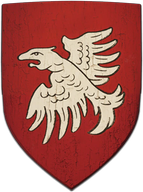
- The picture is redrawn in the realm's style, the same as the houses' crests and the guilds' banners: ink outlines and a painted field, on a weathered banner with a torn foot, tied to a rough branch. Its colours are brought to the old tinctures (gules, azure, vert, sable, purpure, or and argent), or kept as they are if you choose "The picture's own colours".
- Already have a drawn emblem with several colours? Tick "The picture is a whole banner already": it fills the banner, and up to eight colours keep its detail.
- Only the finished mark is sent: a small picture of 144 by 192, at most about 20 kilobytes. Your own picture never leaves your computer.
- The staff look at it in the game. If they approve it, your band bears it on its page. If they don't, the captain is told why and may send another.
- Marks of the year 1403: no modern logos, letters or flags of today, and nothing that mocks or offends.
A noble house sends its crest at the Crest Uploader; a guild or coven its banner at the Banner page.